Table of Contents
ToggleThe Nintendo 64 era was a transitional period for gaming, not just in terms of 3D graphics, but also in how we preserved our progress. Unlike the PlayStation, which relied solely on external Memory Cards, the N64 utilized a fragmented ecosystem of five different saving methods. For modern collectors and enthusiasts, this creates a headache: batteries die, “Controller Paks” run out of space, and certain games require specific hardware to save at all.
This guide aims to demystify the N64 saving landscape. We will break down every storage technology used, identify which games rely on volatile battery backups, and provide essential maintenance tips to ensure your 100% Star Fox or Zelda file doesn’t vanish into the digital void.
How N64 Storage Works: Understanding “Pages”
Unlike modern systems that measure space in Megabytes, the N64 manages memory through a system of “Pages.” A standard memory unit (like the Controller Pak) consists of 123 usable pages. Every game requires a different amount of these pages to store a save file. While a simple racing game might only need 3 pages, complex titles can demand over 100 pages. Understanding this “real estate” is key to managing your collection.
Saving Methods
To simplify the N64’s complex saving landscape, all methods fall into two main categories, which at the same time have different sub-categories depending on the technology used.
1. On-Cartridge Saving (Internal)
The save data is stored directly on a chip inside the game module itself.
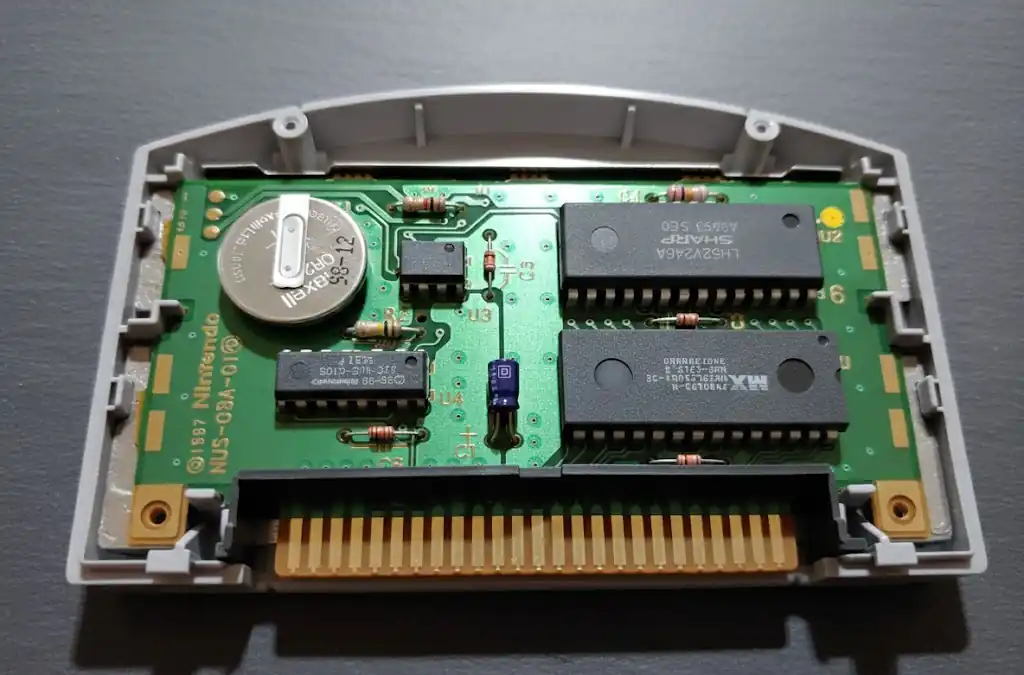
EEPROM: A small, battery-free internal chip (e.g., Super Mario 64, Banjo-Kazooie). Reliable but limited capacity.
SRAM: A fast chip that requires a CR2032 lithium battery (e.g., Zelda: Ocarina of Time, Mario Kart 64). If the battery dies—which usually happens after 15–25 years—the save is lost.
Flash RAM: A modern, high-capacity internal chip (e.g., Zelda: Majora’s Mask, Paper Mario) that does not require a battery.
2. Controller Pak Saving (External)
The data is stored on a separate accessory plugged into the controller. It is essential for most third-party games.
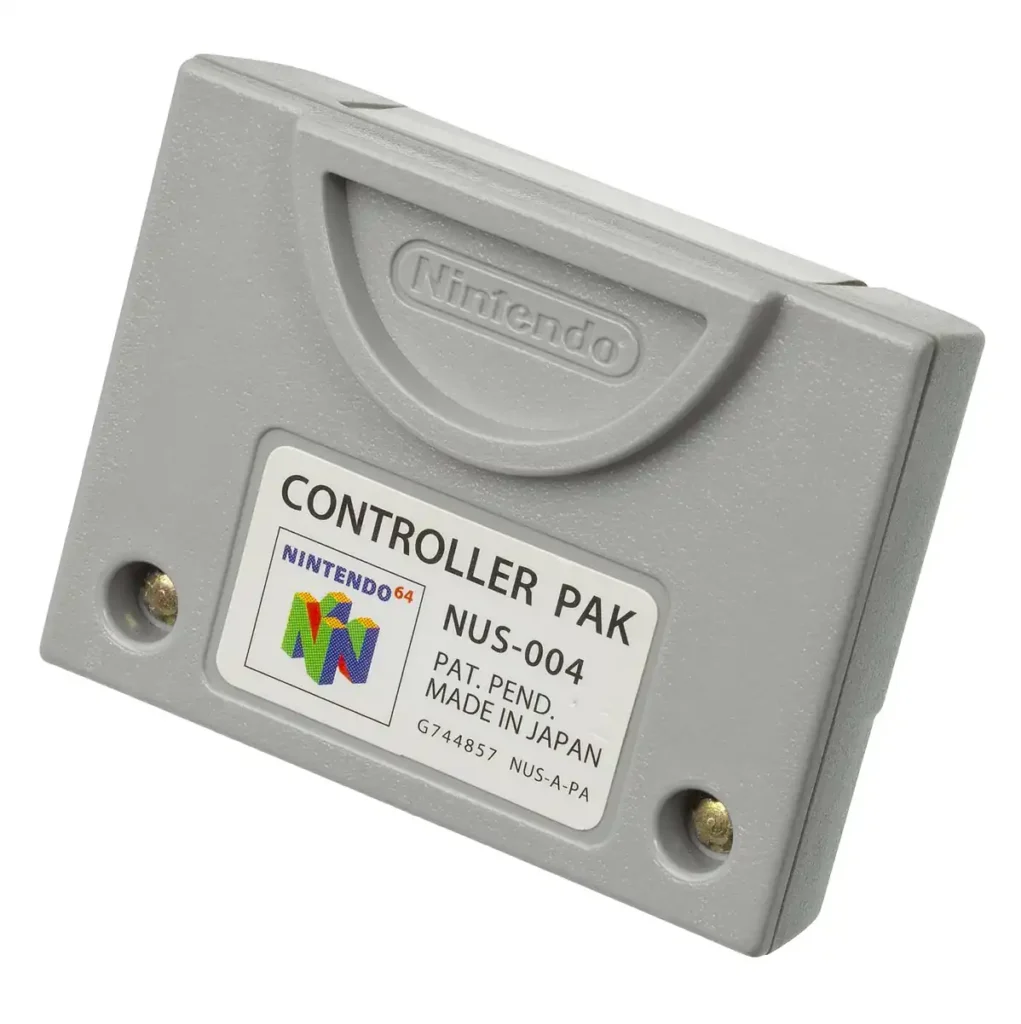
Official Controller Pak: Uses SRAM and contains an internal CR2032 battery which – like the Cartridge – will lose power at some point and therefore all saves.
Third-Party Paks: Often marketed as “Mega Memory” or “High Capacity” cards. Many of these use Flash RAM (Non-volatile RAM) instead of SRAM, meaning they don’t need a battery but can be more prone to data corruption or compatibility issues.
3. No Save Option
A few games like Clayfighter 63 1/3 or Mortal Kombat Trilogy have no saving method for progress at all. Just beat the game like a real man!
💡 Professional Tip: You can use the Micro-64 Game Save Database to look up every single N64 game and its specific saving method.
How to Manage Save Files?
Since the N64 has no built-in operating system menu, managing your Controller Pak requires either a “hidden” trick or using tools provided within specific games.
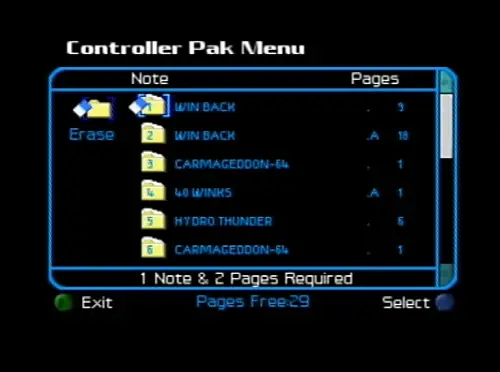
The “Start” Button Manager: This is the universal method. Hold the START button while turning on the console (with a game inserted) to enter the hidden file manager. This should work with every game that officially supports the Controller Pak.
The Corruption Risk: If you attempt to save a game and run out of pages during the process, you risk corrupting the entire memory card. Always check your pages first.
Troubleshooting & Maintenance
Even with the best hardware, data corruption can happen. Here is how to keep your saves safe:
Cleaning the Contacts
90% of “No Controller Pak detected” errors are caused by dirty connector pins. Use a Q-tip with 90%+ 🛒Isopropyl Alcohol to clean the gold contacts on the Pak itself. Crucially, the connectors inside the controller on the bottom must be cleaned as well; applying a drop of alcohol to the Pak’s contacts and inserting/removing it several times can help clean those internal pins. For extreme cases with heavy oxidation, a tiny piece of Magic Eraser can be used with light pressure, but be careful not to wear down the gold plating.

🚫 Never blow into the cartridge or controller pak!
Battery Replacement
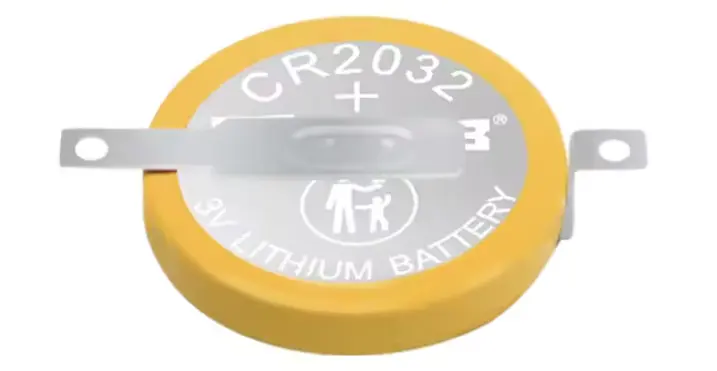
If an SRAM-based game or an official Controller Pak fails to hold data, the internal battery is likely dead. To fix this, open the Game Pak or Controller Pak (using a 🛒3.8mm Gamebit), desolder the old dead battery, and solder in a brand-new, fully charged, tabbed 🛒CR2032 battery.
To help you with the technical steps of the battery replacement, here is a great video tutorial of the process for you.
⚠️ Replacing the battery normally results in the immediate loss of all save data, as the chip loses power. Only technically skilled users can prevent this by providing external power to the RAM during soldering.
Regional Conflicts
Some Japanese games may force a reformat or corruption of Controller Paks which store savedata of PAL/NTSC-U Games due to different encoding. Always keep a separate Controller Pak for imported titles.
The Permanent Solution: FRAM & Battery-Free Storage
If you are tired of replacing batteries every 15–20 years, consider switching to FRAM (Ferroelectric RAM). Unlike standard SRAM, FRAM is non-volatile, meaning it does not require a battery to keep your save data alive. By using this technology, you effectively make your saves “immortal.”
Option A: The DIY Route (Modding)
If you’re handy with a soldering iron and want to upgrade your existing cartridges or original Controller Paks, you can swap the original SRAM chip for a modern FRAM equivalent. Check out this step-by-step guide on how to perform the FRAM mod. This is highly recommended for expensive titles like The Legend of Zelda: Ocarina of Time or Resident Evil 2.
Option B: The Plug-and-Play Solution (Forever Pak 64)
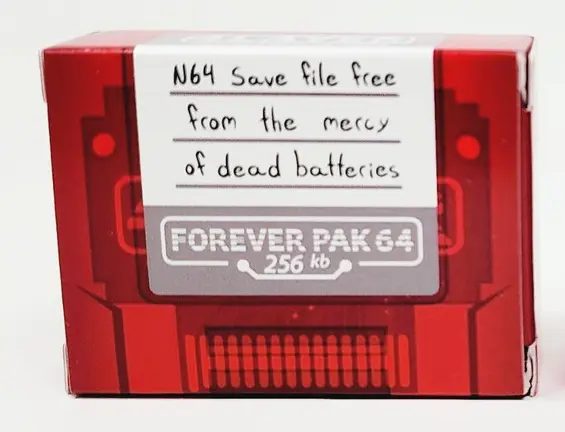
Don’t feel like soldering? If you want the same “forever” reliability without the technical work, I highly recommend getting a 🛒Forever Pak 64.
It uses the same battery-free technology (FRAM/MRAM) straight out of the box. It’s the ultimate “set and forget” solution for your controller—just plug it in, and your high scores are safe for the next 50+ years.
For games that save directly to the cartridge using SRAM, you will still need to perform the SRAM-to-FRAM mod yourself if you want to get rid of the battery forever!
Frequently Asked Questions (FAQ)
Q: Why does my N64 say “No Controller Pak detected” even though it’s plugged in?
A: This is usually due to dirty contacts. The pins on the Controller Pak or the slot in the controller itself can accumulate dust and oxidation. Clean the Pak’s gold contacts with Isopropyl Alcohol. If that doesn’t work, try a different controller, as the internal connector pins might be loose.
Q: Can I use a Japanese Controller Pak on my PAL or US console?
A: Yes, the hardware itself is region-free. However, be careful: some games use different data and character encoding. If you plug a Pak with Western saves into a Japanese game, the game might prompt you to “reformat” the card, which will delete all your existing save files. Therefore keep a separate Controller Pak for each region.
Q: Will my save games disappear if I don’t play for a long time?
A: If the game uses SRAM (with a battery) or you are using an SRAM Controller Pak, yes—eventually. These batteries typically last 15–25 years. If your battery is from 1996, it is living on borrowed time. If your game uses SRAM, the internal battery is working 24/7 to keep your data alive, regardless of whether the console is turned on or off. Games using EEPROM or Flash RAM and Controller Paks using Flash Ram or FRAM are much safer as they don’t rely on a charge to keep data.
Q: How do I know if a game saves to the cartridge or the Controller Pak?
A: Check the front of the game box for the “Controller Pak” icon. If it’s not there, the game likely saves internally. If you don’t have the box, the best way is to check a database like the one on Micro-64, as there is no visual indicator on the cartridge itself.
Q: Is it safe to use third-party “Mega Memory” paks?
A: While they offer more space, they are generally less reliable than official Nintendo Paks. They often use “compression” or “bank switching” which is more prone to data corruption. If you use one, avoid filling it to 100% capacity to reduce the risk of a crash.
Q: Which third-party Controller Paks do you recommend?
A: It depends on whether you want the cheapest option or the most reliable one. Here is the breakdown:
The Gold Standard: Forever Pak 64 If you want to never worry about batteries again, this is the one. It uses FRAM/MRAM technology, meaning it is “battery-free” and will hold your data for decades. It is more expensive, but it’s a “buy once, cry once” solution for serious collectors.
The Budget Choice: Modern AliExpress/Amazon Clones You can find “256K Memory Cards” for a few dollars/euros online. The surprise: Many of these modern clones are actually battery-free! However, the build quality is often lower, and the shells can be a tight fit, which might wear out your controller’s expansion port over time.
The “Avoid” List: > Be careful with used 90s third-party paks (like Performance or Mad Catz). These almost always rely on old batteries that are likely leaking or dead by now, and their internal build quality is often inferior to the original Nintendo paks.
Verdict: If you have the budget, get a Forever Pak 64. If you are tech-savvy, buy an original Nintendo Controller Pak and perform a battery swap or FRAM mod yourself.
Q: Do some games use more than one saving method?
A: Yes, some titles utilize a hybrid saving system where different data is stored in two locations. For example, Mario Kart 64 saves your main progress internally to the cartridge but requires an external Controller Pak to store “Ghost Data” for your time trials.
Q: Can I transfer a save from a Controller Pak to the Game Cartridge?
A: No. The N64 does not allow you to move files between the two different storage types. A game is programmed to look for its data in one specific place (or both in hybrid cases), and you cannot change that destination.
Q: Can I use a Controller Pak and a Rumble Pak at the same time?
A: On an original Nintendo controller, no. Since there is only one expansion slot, you have to choose. This leads to the infamous “hot-swapping” dance: Many games (like Star Fox 64 or Zelda) will ask you to insert your Controller Pak at the start to load your save, and then tell you to swap it for a Rumble Pak once the gameplay begins.