Table of Contents
Toggle⚠️ A Note on Expectations
Before we begin, it is important to manage your expectations. You should not expect wonders from these options. Even the most expensive solutions are still taking a 240p signal and upscaling it to HD or 4K. Because the N64 was designed for old CRT (tube) TVs that naturally softened images, seeing these pixels on a modern digital screen will always reveal some “blur” or “fuzz” that was originally hidden. We are aiming for clarity and playability, not a modern 4K remaster.
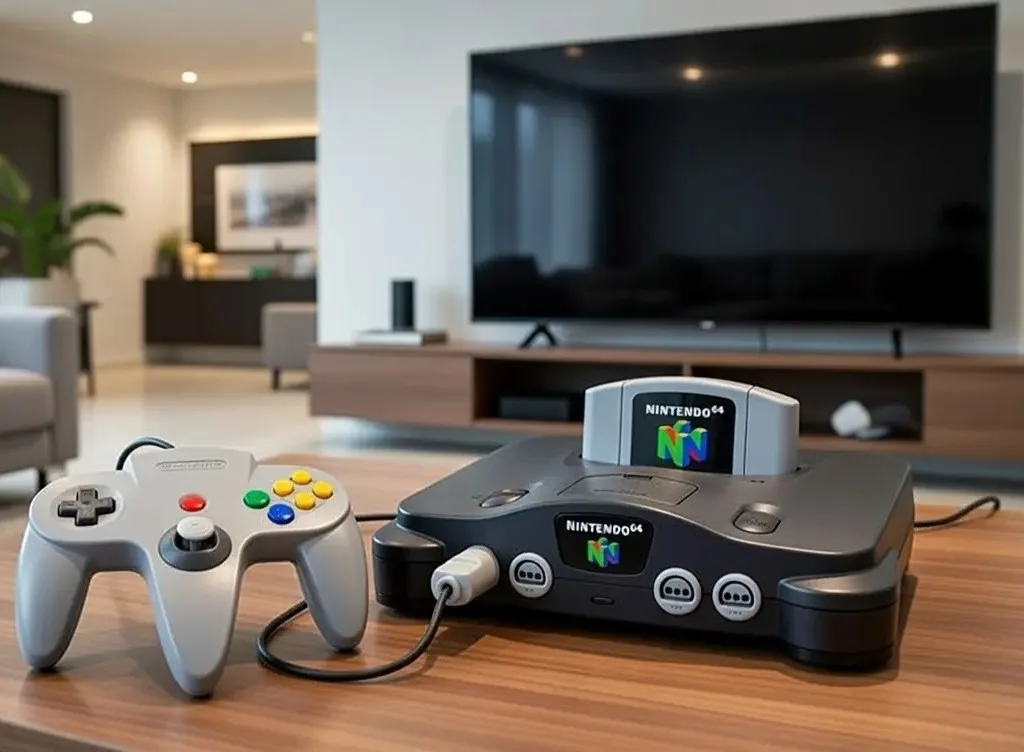
The 240p Problem: Why does it look so bad?
The N64 outputs a 240p signal (low resolution). Modern TVs aren’t designed for this; they are built for high-definition video. When you plug an N64 directly into a modern screen via old composite cables, two things usually happen:
The “Interlacing” Trap: The TV mistakes the signal for 480i. It tries to “deinterlace” it, adding significant input lag (delay) and turning the graphics into a muddy, smeared mess.
No Signal Found: In many cases, modern 4K and 8K TVs won’t display a picture at all. They view the N64’s low-frequency signal as “out of range.” If you’ve ever seen a “No Signal” message while your console is clearly on, this is the reason.
Option 1: The Plug-and-Play Path
Estimated Budget: $75 – $160
This is for the casual player who wants a one-cable solution that “just works.” These cables have a mini-scaler built right into the cord.
The RAD2X Cable (~$75-$80): Widely considered the “Gold Standard” for simple setups. It plugs into the N64 and outputs directly to HDMI. It correctly interprets the 240p signal and converts it to a clean 480p with zero added lag.
The EON Super 64 (~$150-$160): A popular adapter that sits flush against the console. It includes a “Slick Mode” button that smooths out jagged edges. Despite its popularity, recent reviews are not in favor of the Super 64. Many users feel the image quality is not good enough to justify the still very high price.
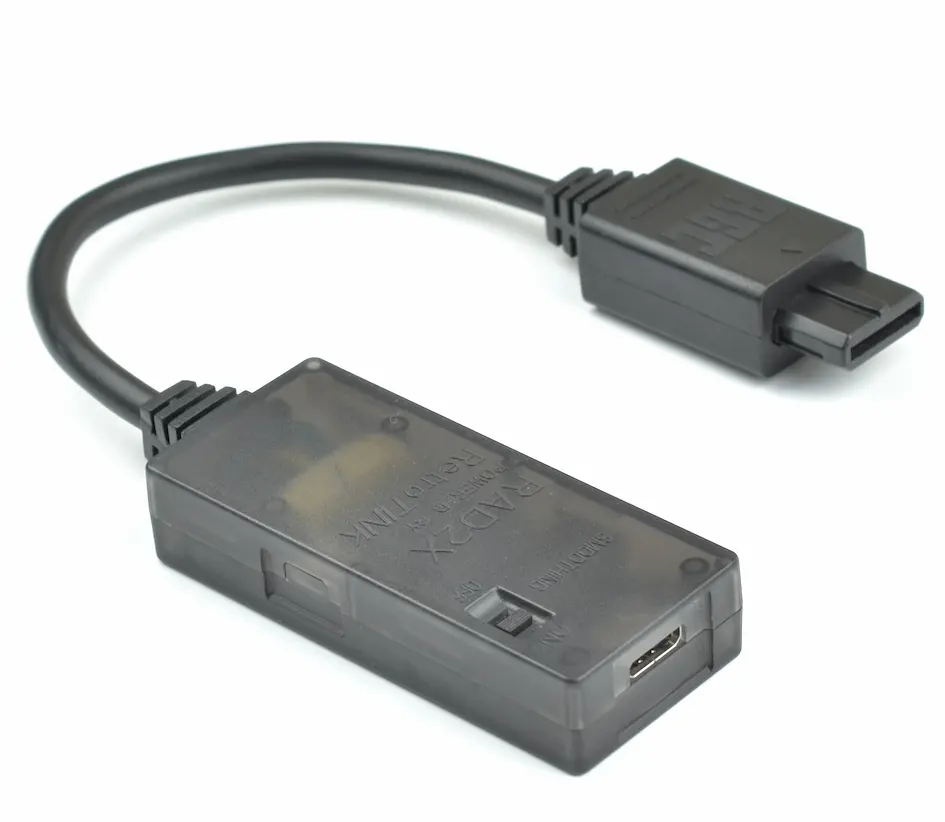
⚠️ Warning: Avoid generic $15 “AV to HDMI” converters, as they are designed for VCRs and add massive input lag that makes precise gaming impossible. These devices often misinterpret the N64’s unique signal, resulting in a blurry, washed-out image with distorted colors and an incorrect widescreen stretch.
Option 2: The Enthusiast Path (Scalers & The S-Video “Sweet Spot”)
Estimated Budget: $150 – $325
If you want a major jump in quality, the best path is an external Scaler Box. Unlike a single cable, a scaler box acts as a dedicated processor for your video signal, offering much better color, sharper edges, and features like “scanlines” to make the game look like it’s on an old CRT.
To unlock these benefits, make sure to combine the scaler with a high-quality S-Video cable instead of the standard yellow composite plug, as it provides the clean signal the scaler needs to produce a truly sharp image.
Why S-Video is Essential
To get the most out of a scaler, you need to ditch the standard yellow Composite cable. For NTSC (US/Japan) consoles, the highest quality signal the console can output natively is S-Video.
S-Video separates the video signal into Luma (brightness) and Chroma (color). This instantly removes “checkerboard” patterns on solid colors and makes the edges of polygons and text much sharper.
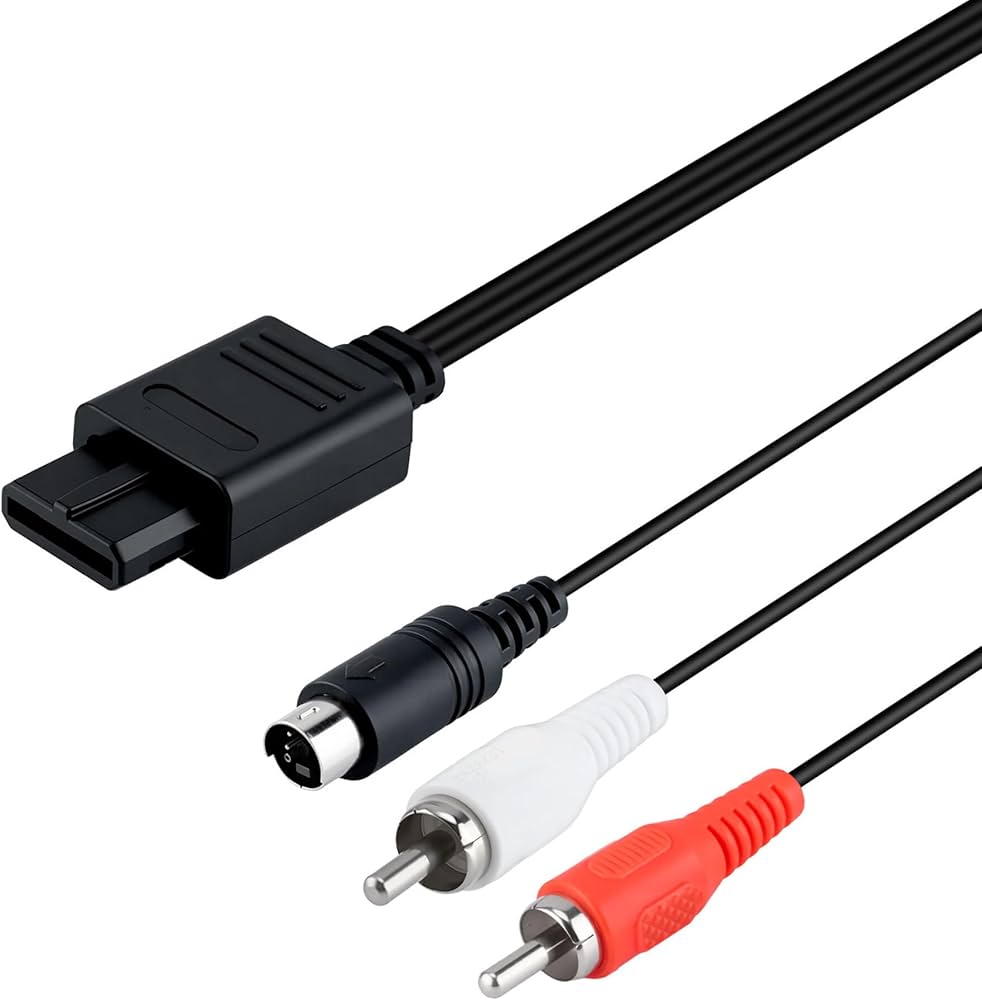
Depending on your budget, here are the two most popular options for US and Japanese consoles:
Insurrection Industries S-Video Cable (Premium): This high-quality Chroma S-Video cable is fully shielded, offering the cleanest possible signal without the visual noise or “checkerboard” patterns found in cheap wires.
Gam3Gear S-Video Cable (Budget): A solid entry-level option available on Amazon for those looking for a quick and affordable improvement over standard composite cables.
🌍 Special Note for PAL (UK/EU/AUS) Users
PAL consoles require a specific, rare S-Video cable featuring a 75 ohm resistor to prevent a “blown-out” or overly bright image. Be aware that many later PAL models lack S-Video support entirely, so check your console’s compatibility before purchasing. High-quality shielded cables for these regions are hard to find and typically must be sourced from specialty boutique retailers, such as the hand-wired PAL S-Video cables found at ConsoleGoods.co.uk.
Recommended Scaler Pairings
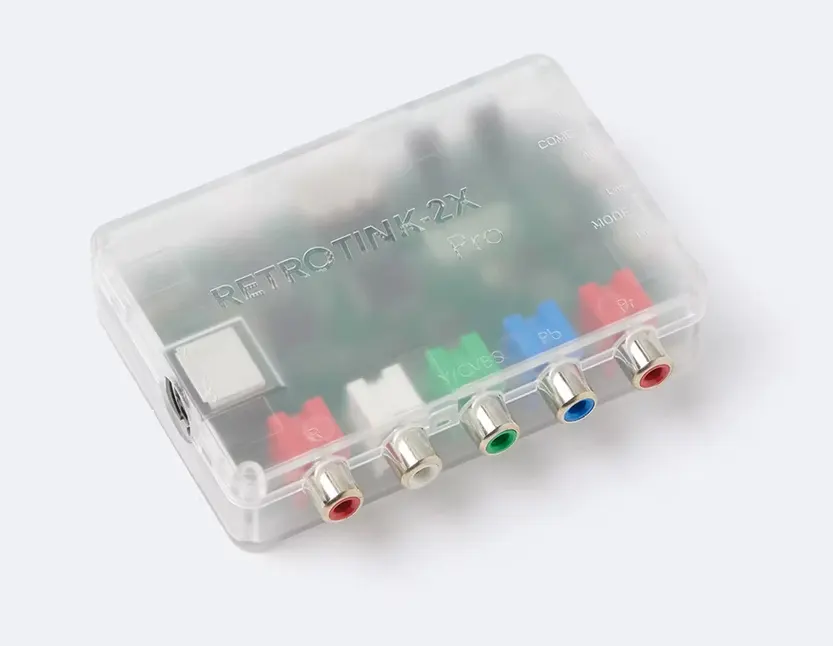
RetroTINK 2X-Pro (~$140): The most popular choice for N64 fans. You plug a high-quality S-Video cable into this box, and it “line doubles” the signal to a crisp 480p for your TV. It will also accept Component and Composite connections – in case you want to connect your other consoles like a PS2 to your TV as well.
RetroTINK 5X Pro (~$325): This high-end scaler can push the N64 up to 1440p. It is an investment, but it offers “Motion Adaptive Deinterlacing” and advanced CRT filters that make the N64 look incredibly sharp on large modern screens.
Option 3: The Professional Path (Internal Mods)
Estimated Budget: $250 – $400 (Includes parts & labor)
For the “no compromises” collector, you must open the console and solder in new hardware. These modifications achieve the absolute peak of video quality by intercepting the video signal at its source. By bypassing the original analog AV port entirely, these mods eliminate the visual “noise,” interference, and signal degradation that occurs with even the highest-quality external cables. Additionally, these kits add a native HDMI output slot directly to the back of your N64, making it compatible with any modern display without the need for external adapters.
While several HDMI mods have existed in the past (such as the now-rare UltraHDMI or the discontinued 64HD), the only internal HDMI mod we currently recommend is the Retro GEM Mod by PixelFX. Other alternatives often suffer from poor build quality, lack of support, or even hardware failure risks.
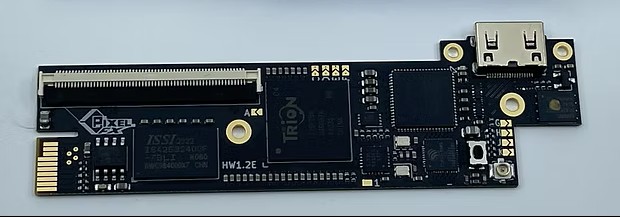
The Retro GEM by Pixel FX is widely considered the ultimate hardware modification for the Nintendo 64. It taps directly into the internal digital video signal to provide a crystal-clear HDMI output. It is available in two different editions:
- Basic Edition: Outputs up to 720p.
- Shiny Edition: The full-featured powerhouse. It handles all upscaling internally up to 1440p, offering advanced scanline filters and motion-adaptive deinterlacing. Includes a “Deblur” toggle that removes the N64’s native anti-aliasing filter, revealing crisp textures you’ve never seen before. It also features WiFi for easy firmware updates.
The “Secret Budget” Option: Early 2000s HDTVs
Estimated Budget: <$50
If you have the space but don’t want to spend hundreds on a scaler, look for an early 2000s HDTV (the ones with the thick silver frames). These “transitional” TVs were built when analog was still king, meaning they often feature high-quality built-in S-Video and Component inputs.
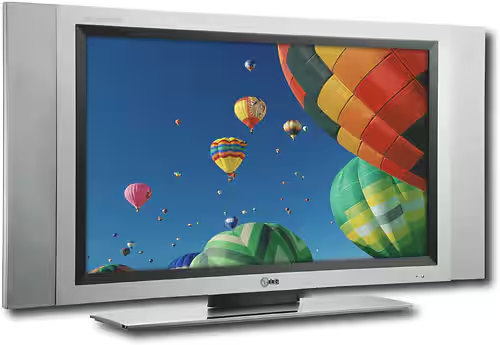
Because they treat analog signals with much more care than modern 4K panels, you get a surprisingly sharp image and significantly less input lag for a fraction of the cost. In fact, these TVs can often be found on local marketplace sites for just a few bucks—or even for free. If you are lucky, you can score an old TV and a decent S-Video cable for under $50 total, giving you a setup that looks better than most modern HDMI converters.
Comparison at a Glance
| Method | Effort | Image Quality | Typical Cost | Best For... |
|---|---|---|---|---|
| Option 1: The Plug-and-Play Path (e.g. Rad2X) | Very Low | Great | $75 - $160 | Casual players; clean one-cable setup |
| Option 2: The Enthusiast Path (Scalers & S-Video) | Medium | Excellent | $140 - $325 | Collectors & multi-console owners |
| Option 3: The Professional Path (Internal Mods) | Very High | Perfection | $250 - $400 (incl. installation) | Hardcore perfectionists; lagless native output |
| The Secret Budget Option (Marketplace HDTV) | Medium (Scouting) | Surprisingly Good | $0 - $50 | Bargain hunters; authentic early-2000s feel |
Final Thoughts
Connecting an N64 to a modern screen is a journey of trade-offs. If you are a casual player, a RAD2X is brilliant. If you are a perfectionist, the Retro GEM is the only way to go. But for most of us who just want Mario Kart 64 to look clean, sharp, and responsive on a Friday night, the RetroTINK 2X-Pro combined with an S-Video cable remains the champion of the community because it stands out with the absolute best performance-to-price ratio for the average N64 owner.
Accuracy is our top priority at Everything64. If you have found a solution we missed, or believe there are any errors in our data, please contact us. Your input helps us keep this guide as the definitive resource for the community!